Learn how to create the fundamental structure of your Saasio application by adding pages for your user interface and API routes for your backend logic.
Every application you build in Saasio is composed of two fundamental building blocks. Understanding the distinct role of each is the key to creating a powerful, full-stack application.
Pages: The User Interface
Pages are what your users see and interact with—like a homepage, a
dashboard, or a profile section. They are the visual front-end of your
application.
API Routes: The Backend Logic
API Routes are the invisible backend. They are server-side endpoints
that handle data, process requests, and communicate with your database or
other services.
When working with dynamic routes, Saasio automatically extracts the values from the URL and makes them available inside your workflows.You can access them using:
Page Param — when you are inside a Page
Use this data source to read the dynamic segment values of the current page URL.
Route Param — when you are inside an API Route
Use this data source to read dynamic values coming from the API request path.
Examples:
A page at /user/[id] accessed via /user/42
→ id = "42"
An API route at /posts/[post-id]/comments/[comment-id]
accessed via /posts/88/comments/12
→ post-id = "88"
→ comment-id = "12"
These dynamic parameters can then be used in any workflow action—such as database queries, conditions, branching logic, or generating API responses.
Dynamic parameters work everywhere: regular pages, nested pages, API routes,
and deeply nested structures.
Your project’s pages form the map of your application. When you create a new project, Saasio automatically includes two essential, non-deletable pages:
Home (/): The default page users land on when they visit your main URL.
404 (/404): The “Not Found” page shown when a user tries to access a URL that doesn’t exist.
Here’s the step-by-step process for adding new pages to your application.
1
1. Navigate to the Pages Tab
In the left panel of the Visual Editor, ensure the Pages tab is selected. This area lists all the pages in your project.
2
2. Create a New Page
Click the + icon at the top of the pages list. This action opens a
prompt to name your new page.
3
3. Enter the Page Name
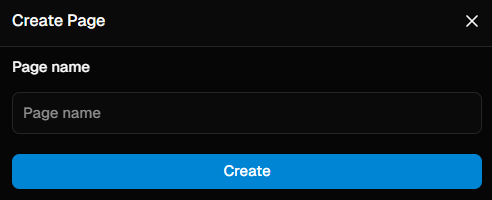
Provide a clear, simple name for your page. This name will automatically become its URL path. For example:
A page named pricing will be accessible at your-domain.com/pricing.
A page named about-us will be accessible at your-domain.com/about-us.
Creating a new page in the Saasio editor by providing a name.
Once created, you can click on any page in the list to load it onto the
central canvas and begin designing its layout and content.
API Routes are your application’s connection to the server. They are essential for any task that requires secure or private logic, such as fetching user data, processing a payment, or connecting to another company’s API.Here’s how to create one.
1
1. Navigate to the API Routes Tab
In the left panel, switch from “Pages” to the API Routes tab.
2
2. Create a New API Route
Click the + icon to open the API route configuration dialog.
3
3. Define the Route Path and Method
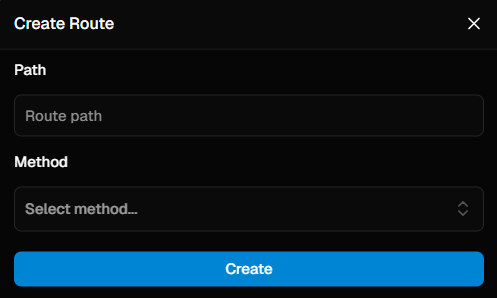
Every API route needs two critical pieces of information:
Path Name: The unique URL for your endpoint (e.g., /users, /products). This is the address that your application (or other services) will call.
Method: The HTTP method the route will respond to. This defines the type of action the route performs:
GET: Retrieve Data.
POST: Create New Data.
PUT: Update Existing Data.
DELETE: Remove Data.
Configuring a new API Route with a path and HTTP method.
After creating an API Route, you must define what it does. Select the new route, then click the Logic tab in the top navigation bar. This opens the workflow editor for that route.
Critical Rule: Always End Your Workflow with “Route Send Response”An API route’s only job is to receive a request and send a response. The Route send response action is how you send that response.
Every path in your workflow must end with this action.
Both branches of any Conditioner must end with a separate Route send response.
Failing to do so will cause the client request to hang and eventually time out.