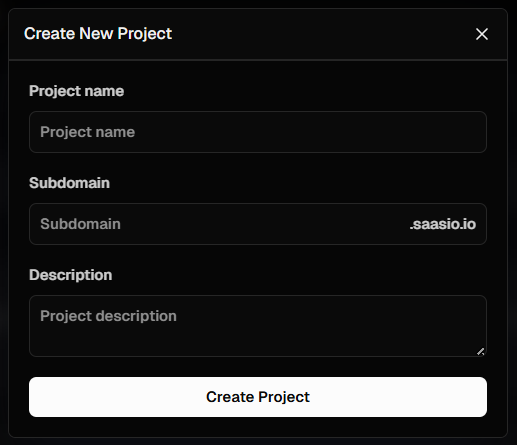
Your 5-minute guide to signing up, logging in, and creating your first SaaS project in Saasio.
Welcome to Saasio! This guide will get you from zero to your first project in under five minutes. We’ll walk through creating your account and launching your first application.Let’s begin.
Navigate to Saasio.io and click the Sign Up button. You will need to provide your email address and a secure password.
2
Verify Your Email
Check your inbox for a verification email. Click the link inside to confirm
your account and protect its security. If you don’t see it, check your spam
folder.
3
Log In
Once verified, log in with your new credentials. You will be directed to your main Projects Dashboard, which is the central hub for all your applications.